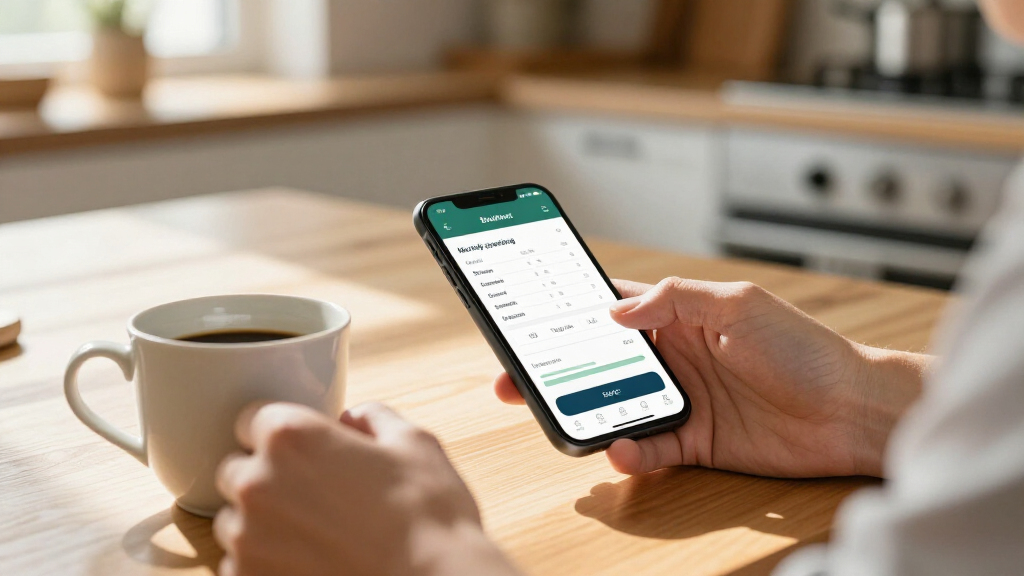
This checklist is for people who want practical tools to organize household spending, keep track of bills, or build a savings routine. It covers options for different ways of managing money, from writing things down to sorting cash and keeping digital records. Choose tools that fit your habits so they support a routine you can maintain.

Get smart everyday buys delivered free with Prime
- Fast, free delivery on millions of items
- Prime Video, Amazon Music and more included
- Member-only deals all year
The sections are organized by task: planning a budget, handling cash, sorting coins, scanning receipts, and setting up savings or calculation systems. Some slots include a named product pick, while the savings challenge binder and financial calculator sections offer advice without recommending a specific product. Each slot addresses a distinct need, so you can focus on the tools relevant to your finances.
Use the checklist to compare a product’s format and features with how you expect to use it. Before buying, consider where it will live, what it needs to work with, and whether its size or setup suits your routine. Start with your biggest friction point, then add tools only when they make that task easier to manage.
Budget Planner
A budget planner can give your spending routine a consistent place to live. The Clever Fox Budget Planner, Monthly Bill Tracker Book is a paper option for people who prefer to write down plans and bill information. A dedicated book may make it easier to return to the same process each month, provided its layout works for the details you actually want to record. Choose a format you will revisit, rather than one that feels complicated from the start.
A common mistake is choosing a planner based on appearance or a feature name without checking how it handles your own categories and schedule. Think about whether you plan weekly or monthly, how much room you need for notes, and whether you want bill tracking alongside general budgeting. The listed size is 5.8 by 8.3 inches, so consider whether that will be comfortable to write in and easy to store or carry. Check dimensions and page layout before committing to a paper system.
Keep the planner accessible where you review bills or update spending. If several people share the household budget, consider whether one book is practical for everyone who needs to consult it. A simple repeatable routine matters more than filling every page; use only the sections that help you make decisions.
What to look for:
- A monthly layout that matches your planning cadence
- Room for the bill details and notes you track
- A 5.8-by-8.3-inch size that suits your writing and storage needs
- A format you can keep near your regular budgeting spot
Clever Fox Budget Planner, Monthly Bill Tracker Book 5.8"x8.3" Black

This undated budget planner helps users organize finances, track expenses, and set savings and debt goals over 12 months. It features a hardcover, thick paper, multiple trackers, stickers, and a user guide to facilitate financial management.
Pros:
- Undated format allows flexible use throughout the year
- Includes helpful accessories like stickers and a user guide
- High-quality materials with thick paper and durable cover
Cons:
- No specific price information available
- Limited to 12 months, may not suit long-term planners
Best for: People who prefer a dedicated paper planner for monthly bills and budgeting
Not ideal for: People who want to manage their budget entirely in a digital tool
Bottom line: Choose this planner if its size and layout suit the way you review monthly bills.
Cash Envelope Wallet
A cash envelope wallet supports a budgeting routine built around separating cash into spending categories. The Simplified Cash Envelopes System Budgeting Wallet is listed as a multi-pocket wallet, making the pocket arrangement a central point to assess. Think about the categories you intend to keep separate and how often you will add or remove cash. Match the pockets to your categories so the system stays understandable during everyday use.
One common mistake is assuming that a multi-pocket design automatically suits every cash routine. Check how the wallet opens, whether you can identify each pocket quickly, and whether the listed description gives enough information about the organization you need. The product name is truncated after “Multi-pocket Leath,” so confirm the complete material and product details from the seller before deciding. Verify the full listing and the wallet’s dimensions if you plan to carry it in a particular bag or pocket.
Consider how this wallet fits with your other payment habits. If you rarely use cash, a dedicated envelope system may add steps instead of simplifying your routine. If you do use cash, decide where you will keep the wallet and how you will update category amounts. Build a repeatable cash routine before relying on the pockets to keep spending organized.
What to look for:
- Enough pockets for the categories you plan to separate
- Clear access to each pocket during everyday use
- Complete seller details, including the material specification
- Dimensions that fit your preferred way of carrying the wallet
- A cash routine that makes a dedicated envelope wallet useful
Simplified Cash Envelopes System Budgeting Wallet – Multi-pocket Leather Organiz

This all-in-one budgeting wallet includes 12 monthly budget sheets, sticker tabs, an annual budget sheet, and an RFID blocker card, making financial planning organized and efficient. Crafted from leather, it features multiple compartments and card slots for cash, cards, and expense tracking.
Pros:
- Includes comprehensive budgeting accessories and sheets
- Made from durable leather with multiple compartments
- Features RFID blocking for added security
- Compact and organized design suitable for women
Cons:
- Limited color options (only black shown)
- May be too large for minimalists
- No mention of additional customization options
Best for: People who actively separate household cash into spending categories
Not ideal for: People who rarely handle cash or prefer digital category tracking
Bottom line: Confirm the complete listing and pocket setup before choosing this wallet for a cash routine.
Coin Sorting Machine
A coin sorting machine is a specialized tool for people who regularly need to organize coins. The CM1250 listing describes a dollar bill change machine with a large coin hopper and token handling, so start by checking whether those functions match your actual use. Confirm the machine fits your task before making space for a dedicated device.
A common buying mistake is treating a product title as a full specification sheet. The provided name is truncated, and it does not establish details such as capacity, coin compatibility, operating method, or dimensions. Review the complete listing and confirm what kinds of coins and tokens it handles, how coins are fed and collected, and what the dollar-bill function means for your intended workflow. Check compatibility and capacity against the coins you need to sort.
Consider where the machine will sit and how you will use it. A large hopper may require more counter or storage space than a small manual sorting aid, so compare the product’s dimensions with the available area. Also consider how often you sort coins; occasional use may not justify a dedicated machine in your setup. Plan for its footprint and routine before choosing a place for it.
What to look for:
- Confirmed compatibility with the coin types you handle
- Full details about the dollar-bill and token functions
- A hopper capacity suited to your typical sorting task
- Dimensions that fit your available counter or storage space
- A clear setup and collection process for sorted coins
CM1250 Dollar Bill Change Machine with Large Coin Hopper and Token Dispensing

The CM1250 is a reliable dollar bill change machine featuring a large 1,000 coin capacity hopper for quarters and token dispensing capabilities. It is pre-programmed for $1 and $5 bills, with options to customize for higher denominations.
Pros:
- Large coin capacity reduces refill frequency
- Pre-programmed for common bill denominations
- Easy mounting to vending machines or walls
- LED display for clear operational status
Cons:
- Requires shipping to Seaga for customization of higher denominations
- Additional costs for conversion and shipping
Best for: People who regularly sort coins and need the listed hopper and token functions
Not ideal for: People who handle coins only occasionally or lack space for a dedicated machine
Bottom line: Review the complete specifications to confirm coin compatibility, capacity, and fit.
Receipt Scanner
A receipt scanner can help people who want to keep paper records in digital form. The ScanSnap iX1300 listing describes wireless or USB connectivity and double-sided color document scanning. Consider how those connection choices fit your computer setup and where you plan to scan. Pick the connection that suits your workspace so scanning can become part of a practical records routine.
A common mistake is assuming that a scanner will fit an existing device or filing process without checking the full requirements. Confirm compatibility with your computer and operating system, the included software, and how scanned files can be saved or organized. The provided product name is truncated, so consult the complete listing for dimensions and other details before deciding where to place it. Check setup requirements and footprint before purchase.
Think about the volume and types of documents you expect to scan. Double-sided color scanning is part of the product name, but the listing excerpt does not establish document capacity, speed, or supported paper sizes. Review those specifications against your receipts and other records, and decide how you will label and store the resulting files. Plan the digital filing step as well as the scan itself.
What to look for:
- Wireless or USB connectivity compatible with your setup
- Computer and operating system compatibility
- Confirmed support for the document sizes you scan
- A footprint that fits your scanning and storage area
- A file-saving workflow that suits your records system
ScanSnap iX1300 Wireless or USB Double-Sided Color Document Scanner, Black

The ScanSnap iX1300 is a compact, space-saving document scanner that handles various document types, including photos, receipts, and plastic cards. It offers fast duplex scanning with automatic features and connects via USB or Wi-Fi to multiple devices and cloud services, making document organization effortless.
Pros:
- Compact and space-saving design
- Fast duplex scanning with automatic adjustments
- Wireless connectivity for versatile use
- Supports multiple device types and cloud services
Cons:
- Requires setup of software and drivers
- Limited to small space environments
Best for: People who want to scan receipts and documents using wireless or USB connectivity
Not ideal for: People whose devices or filing workflow are incompatible with the scanner
Bottom line: Check the full listing for compatibility, dimensions, and document handling details.
Savings Challenge Binder
A savings challenge binder can give a savings goal a visible, hands-on structure. This section has no product pick, so choose a binder or other organizer based on how you intend to track progress. Decide whether you want to record deposits, use labeled categories, or keep notes about a particular goal. Define the tracking routine first so the format serves a clear purpose.
A common mistake is choosing a binder with more sections than you will maintain. Think about how often you will update it, whether you want pages that can be rearranged, and how much room your entries require. If you plan to store cash, check how the binder closes and whether its size and construction suit the place you will keep it. Match the organization to your habit, and avoid relying on a format that feels like extra work.
Set a realistic schedule for reviewing your progress and decide what you will record at each check-in. If you track savings digitally or through an account, the binder can serve as a planning aid rather than the only record. Keep sensitive information private and store any cash securely. Make progress easy to review without turning the challenge into a chore.
What to look for:
- A layout that matches the savings goal and tracking method
- Enough room for the notes or progress entries you plan to make
- Rearrangeable pages if you expect categories to change
- A secure closure and suitable storage size if holding cash
- A format you can update on a realistic schedule
Financial Calculator
A financial calculator can help organize calculations involved in planning, but the right choice depends on the tasks you expect to perform. This section offers advice without a product pick. List the calculations you need before comparing devices or software, such as recurring payment estimates or savings projections. Start with the calculations you use rather than a long feature list.
A common mistake is assuming that every calculator labeled financial includes the functions you need or presents them in a familiar way. Review the full function list, input method, display, and instructions. Consider whether you prefer a handheld calculator, a phone or computer tool, or a spreadsheet. If you are comparing scenarios, check how easily you can change assumptions and review the results. Verify the functions and workflow before making a choice.
Compatibility matters if you want to store, share, or revisit calculations alongside other records. For an electronic tool, check device and operating system requirements; for a handheld option, consider readability and ease of use. Treat calculations as planning aids and confirm important financial decisions with appropriate source information. Choose a tool you can interpret and keep notes about the assumptions behind your estimates.
What to look for:
- Functions that cover the calculations you actually need
- An input method and display you find easy to use
- Clear instructions for setting assumptions and interpreting outputs
- Compatibility with the devices or records you use
- A practical way to save or revisit scenarios if needed
Buy in order of the friction you want to reduce: start with a budget planner if monthly bills need a home, or a cash envelope wallet if category-based cash tracking fits your routine. Consider a receipt scanner when keeping paper records digitally is a priority, and a coin sorting machine when coin handling is a regular task. Prioritize the tool tied to a recurring need, and use advice-only options to shape your routine before adding supplies.
You do not need every item in this checklist to make progress. Pick one manageable change, use it consistently, and revisit your setup when your needs change. Small routines can make money tasks clearer; choose tools that feel straightforward to maintain.
Fall Picks
fall essentials
As an affiliate, we earn on qualifying purchases.