
Finding the right financial planning software for small business can be challenging, as options vary widely in features, complexity, and price. The best overall pick is Sage 50 Pro Accounting 2024, offering robust accounting tools with straightforward usability. Quicken Classic Deluxe provides a familiar interface for small business owners who prefer simplicity, while Microsoft Excel-based planning suits those who want customization without high costs. The main tradeoffs involve balancing comprehensive features against ease of use and affordability. Continue reading for a detailed breakdown of each option to help you choose the best fit for your business needs.
Key Takeaways
- Top picks differentiate primarily through their ease of use versus feature depth, with Sage 50 Pro leading in comprehensive accounting.
- Pricing varies significantly, with some options favoring affordable monthly subscriptions while others focus on one-time purchases or existing software integrations.
- Most solutions lack robust forecasting tools, which are often only available in higher-tier or premium options.
- User interface design impacts adoption; simpler tools tend to have lower learning curves but may miss advanced features.
- Compatibility with existing systems and ease of integration remain key factors influencing overall value.




More Details on Our Top Picks
Sage 50 Pro Accounting 2024 (1-User, 1-Year Subscription)
Compared with the more advanced Sage 50 Premium, the Sage 50 Pro offers a streamlined approach that suits small businesses just starting out or with simpler needs. Its long-standing reputation of 42 years provides a sense of stability, while real-time customizable reports enable non-accountants to grasp financial health easily. However, being a desktop-only solution means it lacks the flexibility of cloud access, which could limit real-time collaboration or remote management. The annual renewal requirement adds ongoing costs, and some users may find the interface challenging at first. This pick makes the most sense for small businesses prioritizing proven reliability without the need for mobile access or extensive multi-user features.
Pros:- Trusted solution with 42 years of industry support
- Real-time customizable reports for non-accountants
- Integrated bill, invoice management, and job costing features
Cons:- Limited to desktop use, lacking mobile or cloud features
- Requires annual subscription renewal which adds to ongoing costs
- May have a learning curve for advanced features
Best for: Small business owners who want a trusted, straightforward desktop accounting solution with reliable support
Not ideal for: Business teams needing mobile access or cloud-based collaboration, as it’s limited to desktop use
- User License:1
- Subscription Duration:1 Year
- Software Type:Desktop Accounting Software
- Version:2024
Bottom line: This software is ideal for small businesses seeking a reliable, easy-to-understand desktop accounting system with proven longevity.
Quicken Classic Deluxe User Guide for Small Business Owners
This guide is tailored for small business owners just starting their financial management journey, focusing on budgeting and expense tracking strategies. Compared to comprehensive software like Sage 50, it emphasizes user education over automation and advanced features. It’s ideal for those who prefer manual control and want to understand their finances deeply, but it doesn’t cover complex accounting needs or integrate with other platforms. The lack of technical depth and focus solely on Quicken Classic Deluxe means it’s not suited for users seeking scalable, multi-user solutions or detailed financial reporting. This resource makes sense for small business owners who prefer learning through detailed guidance and are comfortable with basic digital tools.
Pros:- Tailored specifically for small business financial management
- Provides thorough budgeting and expense tracking guidance
- Helps improve profitability through practical strategies
Cons:- Limited to users of Quicken Classic Deluxe
- Lacks advanced features or automation options
- No technical or real-world case study content
Best for: Small business owners new to financial management wanting a guided, easy-to-follow approach
Not ideal for: Businesses needing advanced automation, multi-user access, or integration with other financial systems
- ASIN:B0GM7CGDSD
Bottom line: This guide is best suited for newcomers seeking practical, step-by-step financial management advice within Quicken’s ecosystem.
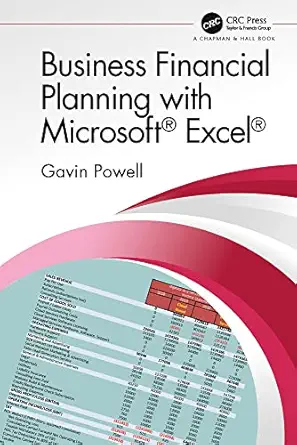
Business Financial Planning with Microsoft Excel
This guide makes Excel-based financial planning accessible, offering practical techniques for creating custom models and analysis. Unlike software like Sage 50 or dedicated platforms, it relies on user proficiency with Excel but provides flexible, tailored solutions that can adapt to unique business needs. The absence of real-world case studies or step-by-step workflows might challenge less experienced users, and the requirement for Excel expertise can be a barrier for beginners. Nonetheless, for those comfortable with spreadsheets, it offers unmatched customization potential and cost-effectiveness. This pick is ideal for professionals or students who want detailed control and are willing to invest time in building their own models.
Pros:- Provides practical, hands-on Excel techniques
- Offers comprehensive coverage of financial planning concepts
- Highly customizable to specific business needs
Cons:- Requires prior Excel proficiency
- No real-world case studies included
- Steeper learning curve for beginners
Best for: Business professionals or students with intermediate to advanced Excel skills seeking flexible financial planning tools
Not ideal for: Small business owners without Excel proficiency or those preferring automated, plug-and-play solutions
- Platform:Microsoft Excel
Bottom line: This resource suits users comfortable with Excel who want tailored, detailed financial planning models for their business.
Best Financial Software for Small Businesses
This comprehensive guide stands out by comparing top solutions like QuickBooks, Xero, and FreshBooks, helping small business owners choose the right software for their needs. Unlike standalone tools like Sage 50, it offers a broad overview of features, pricing, and usability, making it easier to weigh options. However, it’s not a software product itself, so ongoing updates or real-time recommendations may become outdated as new features emerge or prices change. It’s best suited for those in the initial stages of software selection rather than users seeking in-depth tutorials or automation features. This guide makes sense for those who want a broad understanding before investing in a specific platform.
Pros:- Offers detailed comparisons of popular small business financial software
- Helps streamline the decision-making process for accounting and invoicing tools
- Provides a solid foundation for understanding different platform strengths
Cons:- Not an actual software solution, only a comparison guide
- Recommendations may become outdated as software evolves
- Lacks detailed technical or implementation guidance
Best for: Owners or managers evaluating multiple financial software options before making a purchase decision
Not ideal for: Users seeking detailed training or automation within a specific platform, as it is a broad comparison guide
Bottom line: Ideal for small business owners seeking a clear, comparative overview of leading financial software options before choosing one.
Sage 50 Premium Accounting 1-User 1-Year Subscription
Compared with Sage 50 Pro, the Sage 50 Premium offers more sophisticated features like job costing by phase and cost type, and inventory tracking, making it suitable for businesses with more complex financial needs. Its advanced budgeting tools support detailed financial planning, while the inclusion of a one-year Sage Business Care plan provides added support. However, the desktop-only design limits mobility, and the higher cost may be a barrier for smaller or newer businesses. The interface is designed to be user-friendly, but mastering its full capabilities requires a learning curve. This software makes the most sense for small businesses with more complex operations that need detailed tracking and budgeting without moving to a cloud-based system.
Pros:- Offers advanced budgeting and job costing features for detailed financial insights
- Includes inventory tracking and audit trails for thorough oversight
- One-year online support through Sage Business Care
Cons:- Higher subscription cost may be prohibitive for smaller businesses
- Limited to desktop use, lacking mobile or cloud options
- Requires more time to learn and fully utilize features
Best for: Small businesses with complex job costing, inventory, and budgeting needs who prefer desktop software
Not ideal for: Businesses seeking mobile access or simple, straightforward accounting solutions, due to its advanced features and higher price point
- Users:1
- Subscription Duration:1 year
- Platform:Desktop
Bottom line: This choice is best for small businesses with complex financial workflows needing detailed tracking and reporting without cloud dependency.
Sage 50 Premium Accounting 2024 (1-User, 1-Year Subscription) [PC Download]
” image=”https://m.media-amazon.com/images/I/513lc8sBsGL._AC_SX342_SY445_QL70_FMwebp_.jpg” link=”0″]Best for Advanced Desktop Accounting with Customizable Job Costing
View Latest PriceSage 50 Premium Accounting 2024 stands out for small businesses needing robust desktop accounting with specialized features. Unlike Sage 50 Pro, which offers basic accounting, this version provides advanced job costing by phase and cost type, making it ideal for project-based firms. Its inventory management with real-time tracking suits businesses with extensive stock needs but lacks multi-user capabilities, unlike cloud-based options. The subscription model—requiring renewal—may be inconvenient for those seeking a one-time purchase, and its single-user limit could hinder growing teams. Compared to cloud solutions, this desktop software offers more control but less flexibility for remote access. Overall, this pick makes the most sense for small businesses prioritizing detailed job costing and inventory control on a single workstation.
Pros:- 42 years of trusted support in small business accounting
- Advanced job costing and profitability tracking by phase and cost type
- Real-time inventory management for stock control
Cons:- Subscription requires annual renewal, adding ongoing cost
- Limited to single-user access, not suitable for teams
Best for: Small business owners who need detailed job costing and inventory management on a dedicated desktop system
Not ideal for: Businesses planning to scale quickly or requiring multi-user, remote access capabilities
- Users:1
- Subscription Term:1 Year
- Platform:PC Download
- Support:42 years of experience
- Job Costing:Yes, by phase and cost type
- Inventory Tracking:Real-time
Bottom line: This software is best for small businesses that rely on detailed project and inventory control on a dedicated desktop setup.
How We Picked
We evaluated each product based on core criteria that matter most to small business owners seeking reliable financial planning tools. These included performance reliability, ease of use, feature set, scalability, and value for money. We also considered how well each option integrates with common accounting and business management systems, along with customer support quality. Products were ranked by balancing these factors, prioritizing solutions that offer a strong mix of usability and advanced features suitable for small business needs. Our goal was to highlight options that serve different priorities—whether affordability, ease, or comprehensive planning—so readers can find their ideal match.Factors to Consider When Choosing Financial Planning Software For Small Business
Choosing the right financial planning software for your small business hinges on several key factors. Beyond features, consider how well a tool fits into your existing workflow, your budget, and your growth plans. The right balance can save you time, reduce errors, and provide clearer financial insights. This guide covers important considerations to help you avoid common pitfalls and make an informed decision.Ease of Use and Learning Curve
For small business owners, intuitive design and minimal setup time are vital. Software with a steep learning curve can cause delays and frustration, especially if you lack dedicated accounting staff. Consider whether the interface feels approachable and whether onboarding resources are available. Sometimes, investing in a slightly more complex tool pays off if it offers automation that reduces manual work over time.
Feature Set and Customization
Look for software that provides essential features like cash flow management, expense tracking, and financial forecasting. If you need advanced planning tools, verify whether they are included or require upgrades. Avoid overpaying for unnecessary features, but also beware of solutions that are too limited and force costly add-ons later. Customization options can help tailor the software to your specific industry or business size.
Cost and Value for Money
Pricing structures vary from subscription models to one-time purchases. Small businesses should assess whether the ongoing costs align with their budget and growth expectations. Cheaper options might lack critical features or support, so weigh cost against potential time savings and accuracy improvements. Remember, the most expensive tool isn’t always the best, but overly inexpensive solutions may compromise long-term viability.
Integration and Compatibility
Ensuring your financial planning software works smoothly with existing systems like payroll, CRM, or accounting platforms is key. Compatibility reduces manual data entry and errors, saving time and increasing accuracy. Consider whether the software supports exporting data in formats compatible with other tools you use. Compatibility issues can lead to frustration and increased operational costs.
Support and Training Resources
Good customer support, tutorials, and training materials can make a significant difference, especially if you’re new to financial planning software. Check whether the provider offers live support, comprehensive guides, or community forums. Reliable support minimizes downtime and helps you maximize the software’s potential, which is particularly important during initial setup or complex financial periods.
Frequently Asked Questions
Is it better to buy a subscription or a one-time license for small business financial software?
Deciding between a subscription and a one-time license depends on your budget and needs. Subscriptions often include ongoing updates, support, and cloud access, making them appealing for flexibility and lower upfront costs. One-time licenses might be more economical long-term if you prefer a single payment and don’t need frequent updates. Consider how often features are updated and whether ongoing support is important for your operations before making a choice.
Can I use financial planning software without an accounting background?
Many small business solutions are designed for users without accounting expertise, featuring simplified interfaces and guided workflows. However, some tools with advanced features may require a basic understanding of financial principles. It’s wise to choose software with good onboarding resources and customer support, especially if you’re new to financial planning. Training or tutorials can also help bridge knowledge gaps.
How important is scalability in choosing financial planning software?
Scalability matters if you plan to grow your business or add more complex financial features later. A scalable solution can accommodate increased transaction volume, additional users, or more detailed forecasting without requiring a complete switch. Overly limited tools might necessitate costly migration down the line, so evaluating future needs alongside current features ensures your investment remains valuable over time.
What are common mistakes to avoid when selecting financial planning software?
A frequent mistake is choosing a tool based solely on price, ignoring whether it meets your core needs or integrates with your existing systems. Overlooking support and training options can lead to frustration and errors. Additionally, ignoring user reviews about reliability and customer service may result in software that’s difficult to use or poorly supported. Defining your must-have features upfront helps prevent overpaying for unnecessary extras or ending up with a solution that doesn’t grow with your business.
Should I prioritize features over ease of use?
While powerful features are attractive, prioritizing ease of use can be more beneficial for small business owners who lack extensive accounting experience. A user-friendly interface reduces setup time and errors, allowing you to focus on running your business rather than managing software complexity. Ideally, select a solution that strikes a balance, providing essential features in an intuitive format, so you don’t sacrifice usability for advanced capabilities.
Conclusion
For small business owners seeking an all-around reliable solution, Sage 50 Pro Accounting 2024 offers a solid mix of features and ease of use, making it the best overall pick. Those prioritizing affordability and simplicity might prefer Quicken Classic Deluxe, especially if they’re already familiar with personal finance tools. If you want advanced planning capabilities and scalability, investing in a premium option or a more comprehensive system could be worthwhile. Beginners should focus on solutions with straightforward interfaces and strong support, while growing businesses should look for scalable options that can expand with their needs. Your ideal choice depends on your specific priorities—balance features, budget, and usability to find the best fit.